GlassCue
Read it. The camera can't.

On your screen. Not in the recording.
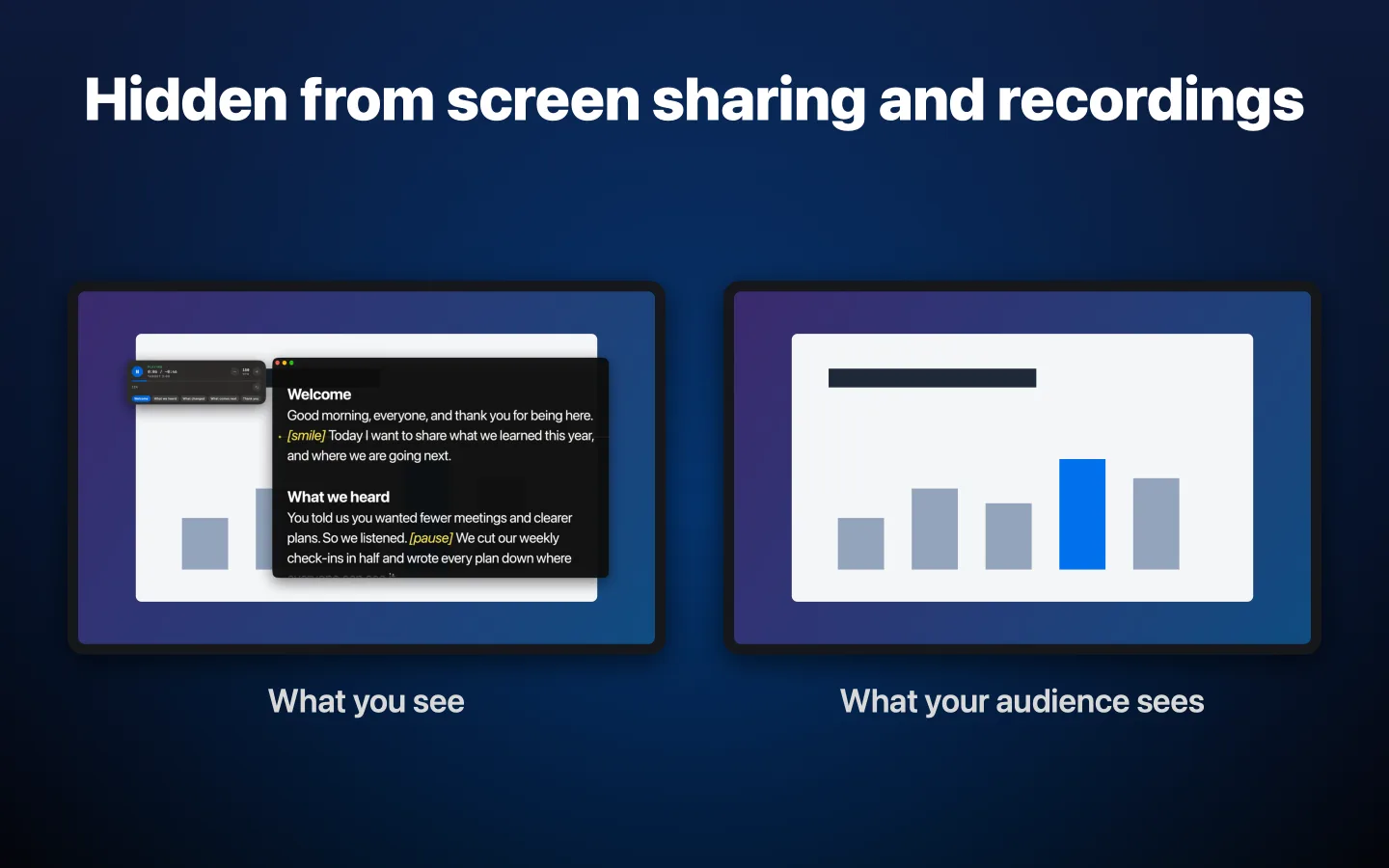
GlassCue sets one AppKit flag, sharingType = .none, and macOS stops handing the window to screen capture. Zoom, Teams, Meet, OBS, QuickTime: they record your screen and it simply isn't there. It's not an overlay trick; the window server just leaves it out.
Everything you need to read on camera
Built for creators, presenters, and screenwriters who want a focused teleprompter that stays out of the recording.
Hidden from Screen Capture
Turn it on and macOS leaves GlassCue out of screenshots, screen recordings, and screen sharing in apps that use the system's capture, such as Zoom, Teams, Meet, OBS, and QuickTime. You can switch it off when you want the prompter captured.
Paced in Words per Minute
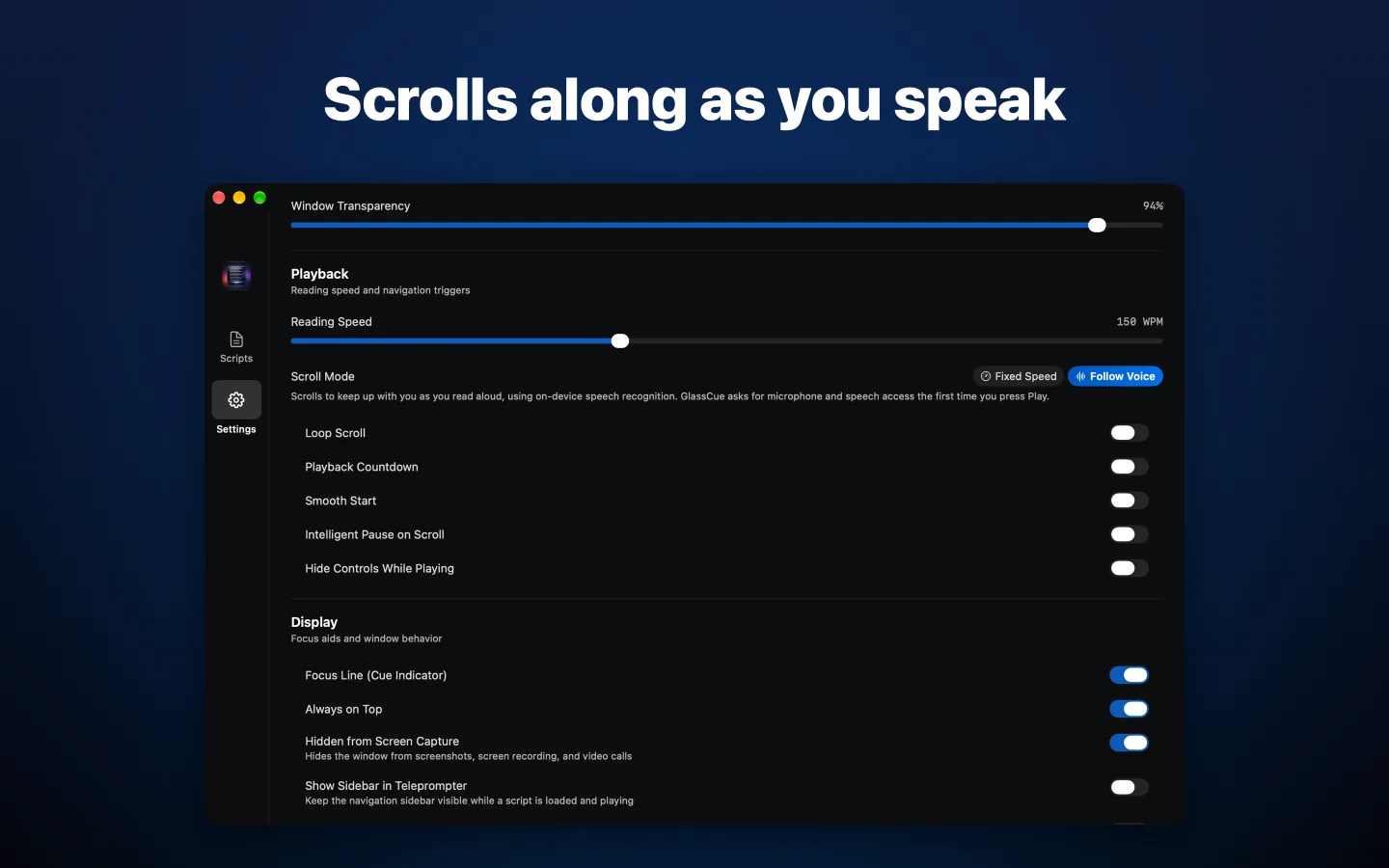
Set your reading speed in words per minute and a script runs the same length at any font size. A smooth start eases into motion, and an optional 3-2-1 countdown gives you a beat before the first line.
Follow Voice
Read aloud and the script scrolls along with you, pausing when you pause. Speech recognition runs on your Mac, so your audio never leaves it.
A Library for Your Scripts
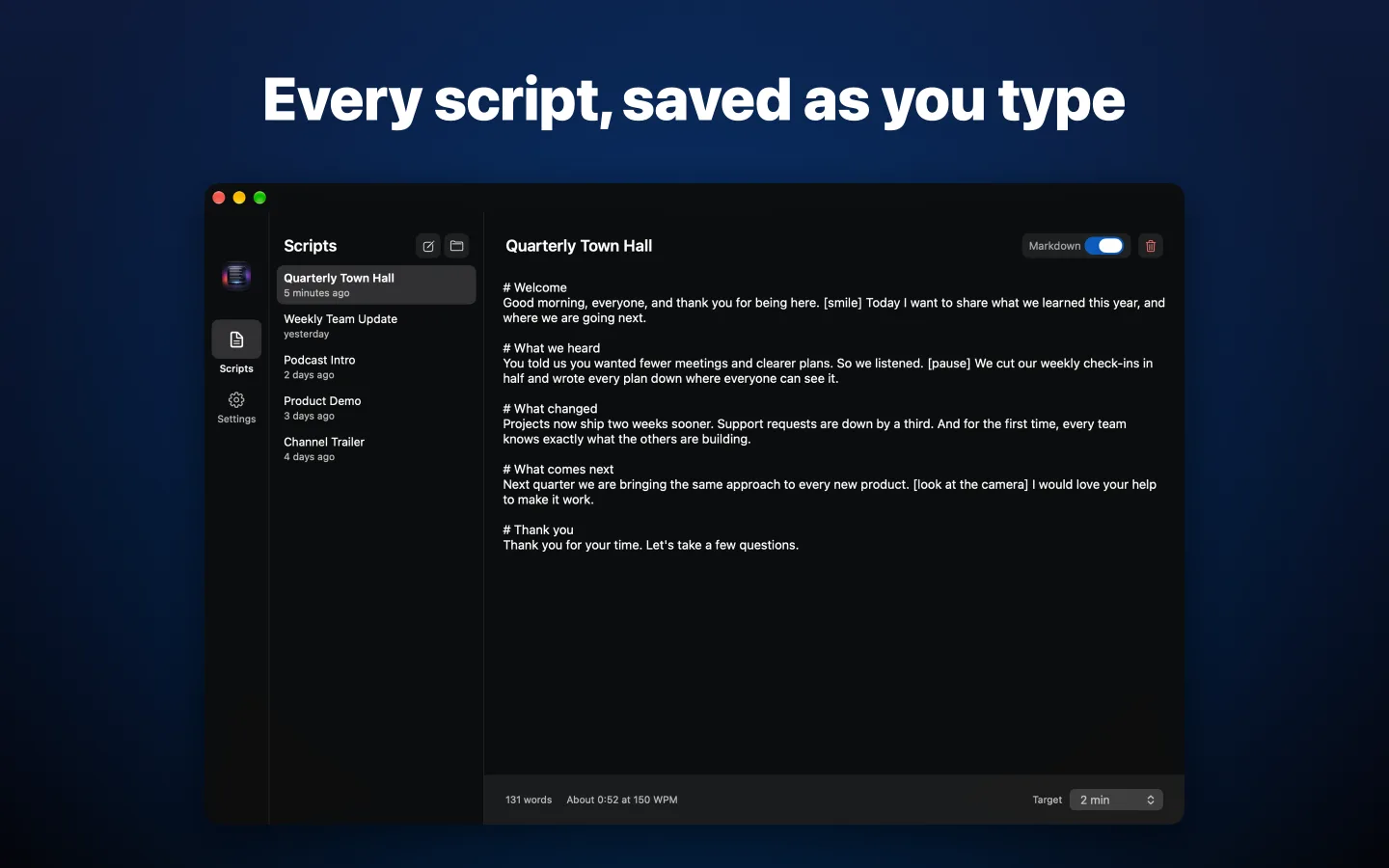
Scripts save as you type and remember their own speed and target time. Pick up where you left off from the Scripts tab or the Recent Scripts menu.
Opens What You Already Wrote
Plain text, Markdown, PDF, RTF, Word, and, for screenwriters, Fountain and Final Draft. Open a file, paste a script, or drop it on the window.
Sections and Cues
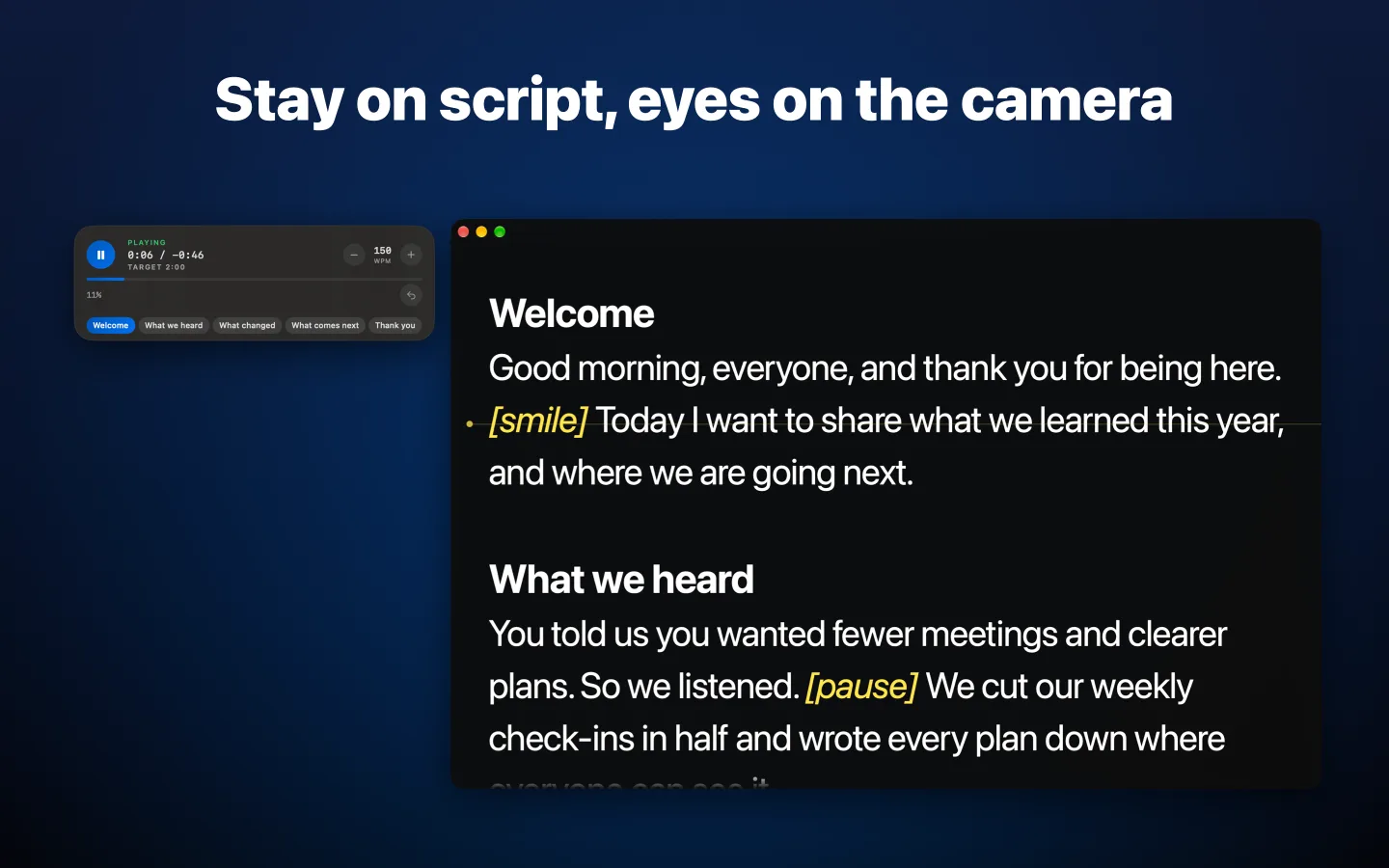
Markdown headings, screenplay scene headings, or ALL-CAPS lines become sections that land exactly on your reading line. Bracketed notes like [pause] are styled as cues, so they stand out from the words you say.
Timing at a Glance
A floating glass panel shows elapsed and remaining time, your speed, and the current section, and warns you when you're running past a script's target.
Phone Remote
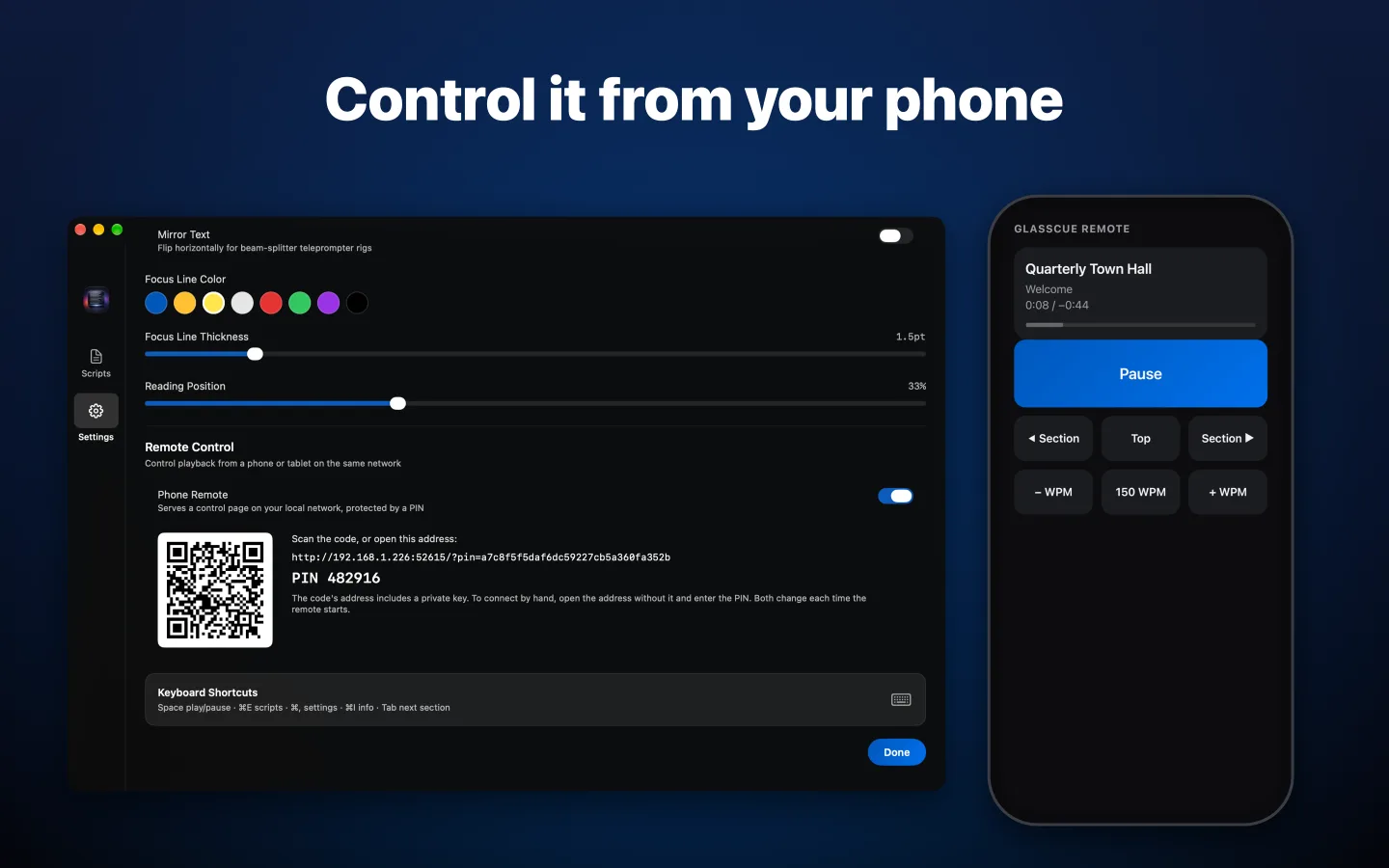
Play, pause, change speed, and jump between sections from your phone. Scan a QR code to connect over your local network; a PIN keeps everyone else out.
Second Display and Mirror
Send a prompter-only output window to a monitor or teleprompter rig, and flip the text for beam-splitter glass so you read straight down the lens.
Presenter Remotes
Bluetooth presenter clickers work out of the box. Page Up and Page Down move between sections, and the blank key plays and pauses.
Shortcuts and Siri
Play, pause, change speed, jump sections, or open a script with the Shortcuts app or by asking Siri.
Make It Yours
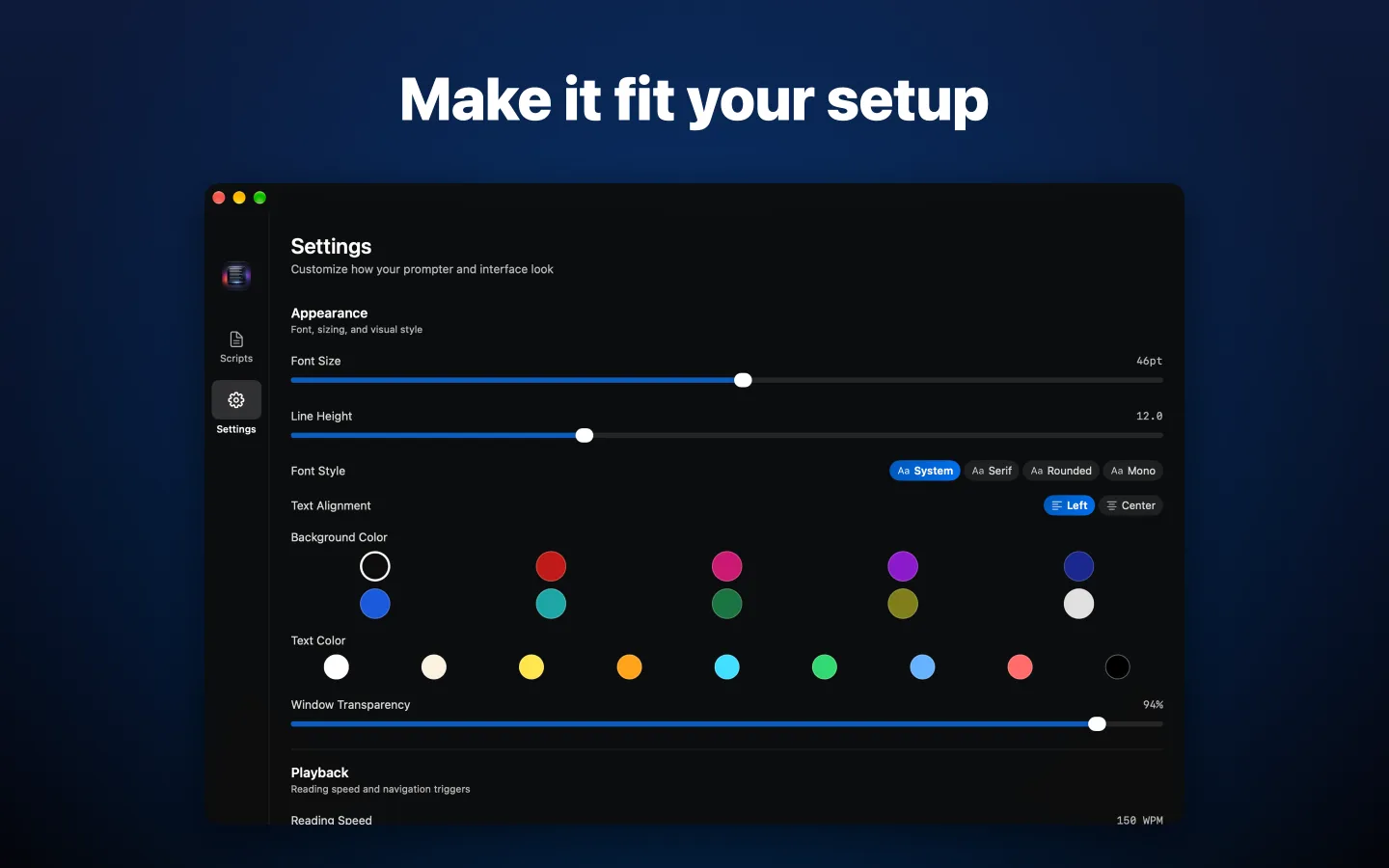
Ten backgrounds, nine text colors, four font styles, and a focus line you can recolor and move to sit under your camera. GlassCue speaks English, German, French, Spanish, Italian, Portuguese, Japanese, Korean, and Chinese.
See it in action
A focused teleprompter built for macOS.
Keyboard-driven by design
Every control is a keystroke away so your hands never leave the keyboard during a recording.
Using a Bluetooth presenter remote? Page Up and Page Down move between sections, and B plays and pauses.
Available on the Mac App Store
GlassCue 2.0 requires macOS 15 or later. One purchase, no subscription, no account, and your scripts never leave your Mac.